
For most buyers, Matterport is the strongest starting point: its 3D digital twin format, built-in measurement tools, and schematic floor plans give you the spatial accuracy needed for sight-unseen decisions. If the listing only has a smartphone-captured tour, CloudPano and Zillow 3D Home are the two names worth knowing. Here is the shortlist:
- Matterport — best for sight-unseen purchases and renovation planning; accurate measurements and a true 3D model set it apart from photo-stitched alternatives.
- Zillow 3D Home — best for quick MLS-integrated browsing; free for agents to create, works on any smartphone, and lives directly on Zillow listings where most buyers already search.
- CloudPano — best for hardware-flexible, shareable tours; a free starter tier and compatibility with everything from iPhones to pro 360 cameras make it the most accessible option for buyers requesting a quick re-shoot.
- TeliportMe — best for short-term rental and multi-property comparison; used by more than 20,000 businesses and integrates with property-management platforms.
- Ricoh 360 Tours — best when the agent already owns a Ricoh Theta camera; fast capture, clean output, and a straightforward share link.
- Trolto — best for lightweight, no-frills 360 tours when budget is the primary constraint.
TL;DR: Request a live guided walkthrough when you are seriously considering an offer. Use a self-guided tour for initial shortlisting and to rule out properties that clearly don't fit before scheduling in-person visits. Virtual tours provide 24/7 global access to listings, which means you can revisit a property at midnight before writing an offer — a real advantage when you are buying from out of state or evaluating multiple San Diego neighborhoods at once. Jeffsellssandiego routinely runs guided virtual walkthroughs for buyers who want a local agent's eyes on the property in real time.
Table of Contents
- Which virtual tour platforms should buyers compare?
- Platform profiles: what each one means for your search
- How do you choose the right virtual tour for your situation?
- What hardware and turnaround times should buyers expect?
- How buyers get the most out of virtual tours
- Who pays for virtual tours, and what do they actually cost?
- How these platforms were compared, and what trust signals matter
- Which platform should you request, based on your situation?
- Key Takeaways
- What San Diego buyers actually need from virtual tours
- Work with a San Diego buyer agent who runs guided virtual walkthroughs
- Useful sources for buyers researching virtual tour platforms
Which virtual tour platforms should buyers compare?
| Platform | Best for | Price / free tier | Hardware required | Tour quality | Interactive features | Shareability & integrations | Ease of use |
|---|---|---|---|---|---|---|---|
| Matterport | Sight-unseen, renovation planning | Free (1 active space); paid plans from ~$9.99/mo | Matterport Pro camera, compatible 360 cam, or smartphone | Full 3D digital twin | Floorplans, measurements, hotspots, AI tagging | MLS embed, Zillow, direct link | Moderate; processing takes hours |
| Zillow 3D Home | MLS browsing, quick shortlisting | Free | Smartphone | 360-photo tour | Basic hotspots, room labels | Native Zillow/MLS integration | Very easy; 30–60 min capture |
| CloudPano | Hardware-flexible, shareable tours | Free starter tier; paid plans scale up | Smartphone or any 360 camera | 360-photo tour | Hotspots, floor plans, lead capture | Embed anywhere, share link | Easy; fast publish |
| TeliportMe | Multi-property, vacation rentals | Free tier available | Smartphone or 360 camera | 360-photo tour | Hotspots, branding, integrations | Guesty/PMS integrations, embed | Easy |
| Ricoh 360 Tours | Agent-owned Ricoh Theta workflow | Free with Ricoh Theta device | Ricoh Theta camera | 360-photo tour | Basic hotspots, share link | Direct link, basic embed | Very easy |
| Trolto | Budget-conscious, lightweight tours | Free / low-cost | Smartphone or 360 camera | 360-photo tour | Basic hotspots | Share link | Very easy |
Two red flags to watch for when a tour link arrives in your inbox:
- No mobile compatibility — if the tour freezes or fails to load on your phone, the agent likely used an older platform or skipped mobile testing. Ask for a re-link or a different format.
- No measurements or floor plan — a 360-photo tour with no spatial data is useful for atmosphere but not for evaluating whether your furniture fits or whether a wall is load-bearing.
Platform profiles: what each one means for your search
Matterport
Matterport produces a true 3D digital twin, not just a series of linked photos. The platform reports up to 300% more engagement compared to 2D images, and its schematic floor plans with exportable measurements are the closest thing to a tape measure you will get before stepping inside. For buyers planning renovations or evaluating open-plan layouts, that accuracy matters.
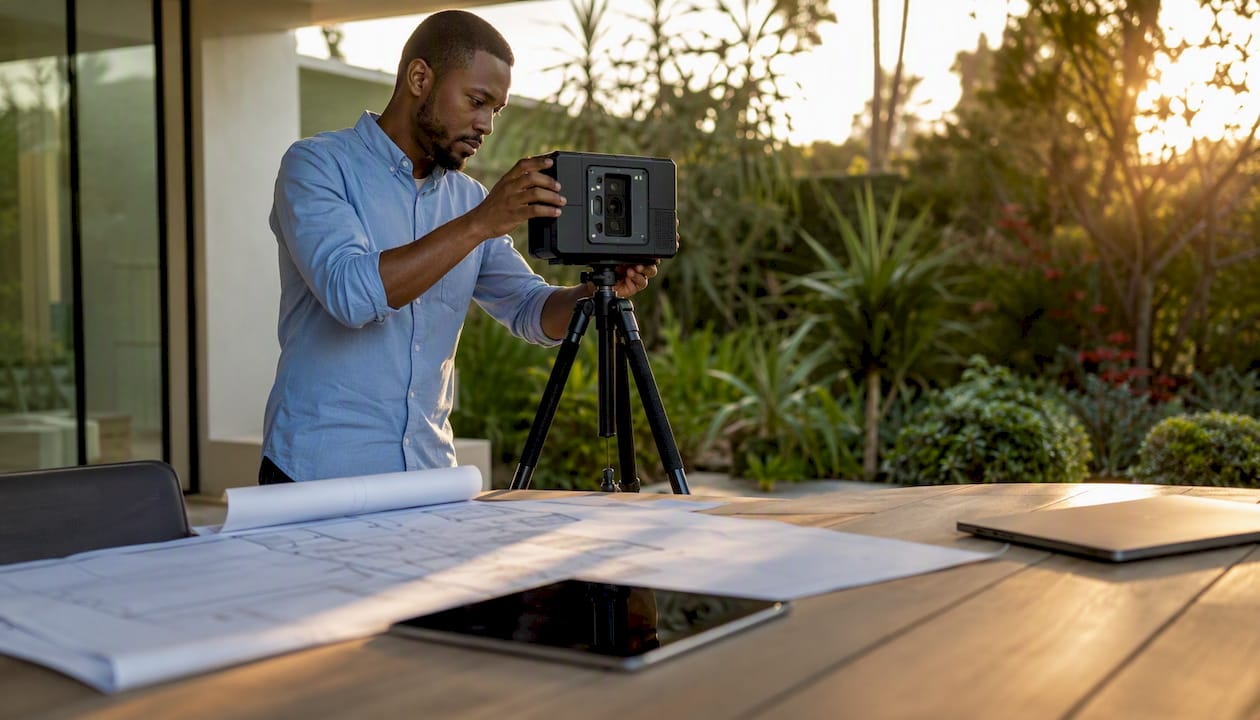
Buyer pros: Accurate room measurements, true 3D navigation, downloadable floor plans, strong MLS and Zillow integration. Buyer cons: Requires a compatible camera (the Pro2 or Pro3 runs $3,500+), so not every listing will have one; processing can take several hours after capture; tours can be slow to load on older devices.
What to ask the agent: "Can you export the floor plan with dimensions?" and "When was this scan captured?" Matterport tours show a capture date in the metadata — always check it against the listing date.
CloudPano
CloudPano is hardware-agnostic, meaning the agent could have used a $300 Ricoh Theta or a flagship iPhone. That flexibility is a double-edged sword: the platform is excellent, but tour quality varies widely depending on what captured it. The free starter tier means more listings will have a CloudPano tour than you might expect, especially from independent agents.

Buyer pros: Works on any device, fast to publish, shareable link with no login required, interactive floor plans available on paid tiers. Buyer cons: 360-photo output (not a true 3D model), so measurements are estimates rather than precise; quality ceiling depends entirely on the capture hardware.
What to ask the agent: "What camera did you use?" A smartphone capture is fine for a first look; request a Matterport or dedicated 360 camera scan if you are moving toward an offer.
TeliportMe
TeliportMe positions itself as the go-to for property managers and multi-unit operators, with integrations into platforms like Guesty. For buyers comparing several vacation-rental investment properties or short-term rental units, the ability to flip between tours in a single session without losing context is genuinely useful.
Buyer pros: Clean interface, solid integrations, free tier available, works well on mobile. Buyer cons: Less common on standard residential MLS listings than Matterport or Zillow 3D Home; interactive features are more limited than Matterport's full suite.
What to ask the agent: "Is the tour embedded in the MLS listing, or do I need a separate link?" TeliportMe tours sometimes live outside the standard listing page.
Zillow 3D Home
Zillow 3D Home is the path of least resistance for most buyers because it lives where you already search. The agent shoots it on a smartphone, uploads it directly, and it appears on the Zillow listing within hours. No special hardware, no separate link to track down.
Buyer pros: Zero friction to access, free for agents, works on every modern browser and device, native MLS integration. Buyer cons: 360-photo only, no measurements, limited hotspot depth — it is a first-impression tool, not a due-diligence tool.
What to ask the agent: "Is there a Matterport or floor-plan version available?" Zillow 3D Home is a starting point, not a substitute for spatial data.
Ricoh 360 Tours
Ricoh 360 Tours is the native platform for agents who already own a Ricoh Theta camera. Capture is fast (a full home in under 30 minutes), and the output is clean. The platform is straightforward but limited: no true 3D model, basic hotspots, and a simple share link.
Buyer pros: Fast turnaround, reliable output from a well-regarded hardware line, easy to share. Buyer cons: Locked to Ricoh hardware; no measurement tools; less interactive than Matterport or CloudPano on paid tiers.
Trolto
Trolto is a lightweight option that gets a tour published quickly with minimal setup. For buyers, it signals that the agent prioritized speed over depth. Useful for a first look at a property you are on the fence about; not sufficient for a serious offer without additional documentation.
Buyer pros: Fast, free, no hardware barrier. Buyer cons: Minimal interactivity, no measurements, limited integration options.
Sample tour callout: When you open any tour link, check immediately for four things: a hotspot menu (room labels you can click), a floor plan toggle, a measurement tool icon, and a share or download button. If none of those appear within 30 seconds of loading, you are looking at a basic 360-photo viewer. That is fine for shortlisting; it is not enough for an offer.
Research confirms that interactivity — hotspots, floor plans, guided paths — is what converts a casual browser into a qualified buyer by reducing the cognitive load of evaluating an unfamiliar space remotely.
How do you choose the right virtual tour for your situation?
Not every tour is created equal, and the platform name on the link tells you less than the features inside it. Before you spend 20 minutes walking through a tour, run this quick check.
Must-have features for buyers:
- Mobile compatibility — the tour loads and navigates cleanly on your phone without crashing.
- Floor plan with room labels — confirms layout and circulation without relying on the agent's description.
- Measurement tools or exported dimensions — critical for renovation planning and furniture placement.
- Capture date visible — a tour shot 18 months ago may not reflect current condition.
- Share link — so you can send it to a contractor, designer, or family member for a second opinion.
Nice-to-have features:
- Live guided walkthrough option — an agent navigates in real time while you watch and ask questions.
- Downloadable floor plan PDF — useful for permit research or renovation quotes.
- AI-guided Q&A inside the tour — emerging platforms now let buyers ask contextual questions and receive answers without leaving the tour interface.
Questions to ask the seller or agent before viewing:
- What platform and camera were used to capture this tour?
- When was the tour captured, and has anything changed since?
- Are the measurements in the tour accurate, or are they estimates?
- Is a live guided walkthrough available, and how do I schedule one?
- Can you share the floor plan as a separate PDF?
Red flags to watch for: A tour with no capture date, a floor plan that doesn't match the listing photos, an embed that won't load on mobile, or an agent who can't answer basic questions about the capture method — any of these should prompt you to request additional documentation before proceeding.
Pro Tip: If the agent's platform tracks viewer analytics (Matterport does), ask which rooms buyers spend the most time in. That data often reveals where previous viewers had questions or concerns — and it can sharpen your own inspection checklist before you visit in person.
For a deeper look at how to evaluate homes in San Diego specifically, the step-by-step home touring guide from Jeffsellssandiego covers what to look for room by room.
What hardware and turnaround times should buyers expect?
The capture method determines almost everything about tour quality. Here is what each tier actually means for you as a buyer.
Smartphone + app (Zillow 3D Home, CloudPano mobile, Ricoh app) Output: 360-photo tour. On-site capture: 20–45 minutes for a typical home. Processing and publish: 1–3 hours. Measurements: not reliable. Best use: first-look shortlisting.
Consumer 360 camera (Ricoh Theta, Insta360) Output: 360-photo tour with higher resolution than most smartphones. On-site capture: 30–60 minutes. Processing: 2–4 hours. Measurements: limited. Best use: detailed visual inspection, neighborhood comparison.
Dedicated 3D scanner (Matterport Pro2/Pro3) Output: Full 3D digital twin with accurate measurements and schematic floor plans. On-site capture: 45–90 minutes depending on home size. Processing: several hours to overnight. Measurements: reliable enough for renovation quotes. Best use: sight-unseen offers, renovation planning, investor due diligence.
360-degree photographic tours are faster and cheaper to deploy, while fully 3D-modeled environments provide better spatial understanding — but cost more and take longer to produce. A high-quality smartphone or entry-level 360 camera can produce competitive results when paired with the right software, so buyers shouldn't assume a multi-thousand-dollar scanner is the only path to a useful tour.
Virtual tours provide 24/7 global access to properties, which means a buyer in Chicago evaluating a San Diego listing can revisit the tour at 11 PM before submitting an offer the next morning — a practical advantage that static photos simply can't replicate.
Buyer checklist for capture quality:
- Ask for the capture date and confirm it is within the last 90 days for active listings.
- Ask who performed the scan (agent, professional photographer, or automated service).
- Ask whether measurements have been verified against architectural drawings or permit records.
- Request a re-scan if significant work has been done since the original capture.
How buyers get the most out of virtual tours
A virtual tour is only as useful as the questions you bring to it. Passive clicking through rooms is the least effective way to use one.
Action checklist for viewing any tour:
- Use the measurement tool on every room you plan to furnish or renovate — don't rely on the listing's stated square footage alone.
- Zoom into corners, baseboards, and ceiling edges in high-resolution nodes to spot water stains, cracks, or deferred maintenance.
- Check sight-lines from the main living areas to the street and backyard — natural light and privacy are hard to assess from photos but visible in a well-captured 360 tour.
- Cross-reference every room against the floor plan to confirm the layout matches what the listing describes.
- Note which rooms feel compressed or distorted — wide-angle lenses can make small spaces look larger than they are.
Tips for remote buyers specifically:
- Schedule a live guided walkthrough with the agent and ask them to pan into spaces the tour doesn't cover: attic access, under-sink cabinets, garage storage, side yards.
- Ask the agent to open windows and exterior doors during the live session so you can assess natural ventilation and outdoor connection.
- Request additional photos or a short video of any area where the tour resolution drops or the lighting is poor.
The sense of telepresence — actually feeling present in a space — is a primary driver of why immersive tours outperform static photos and correlates directly with increased intention to visit and transact. A high-fidelity tour doesn't replace an in-person visit, but it reliably tells you which properties are worth the trip.
For San Diego buyers, virtual tours are particularly useful for shortlisting across neighborhoods before committing to in-person visits. A buyer comparing Point Loma to San Carlos can walk through four or five listings in an afternoon without driving across the county — then focus in-person time on the two or three that genuinely fit.
Pro Tip: Combine a virtual tour with a school boundary map and a neighborhood walkability score before scheduling any in-person visit. In San Diego, a half-mile difference in location can mean a different school district, a different commute time, and a $100,000 price difference. Narrowing by neighborhood data first makes every tour more productive.
Who pays for virtual tours, and what do they actually cost?
Sellers and listing agents almost always cover the cost of the tour — it is a marketing expense, not a buyer cost. That said, understanding what was spent tells you something about the listing's quality.
Typical pricing by capture method:
- Smartphone-captured tour (Zillow 3D Home, CloudPano free tier): $0 to the agent; no cost to the buyer.
- Entry-level 360 camera tour (Ricoh Theta, Insta360): $100–$300 for professional capture, or free if the agent owns the hardware.
- Professional 3D scan (Matterport Pro2/Pro3): typically $200–$500 for a standard home, depending on square footage and the photographer's market rate. Matterport's own platform charges agents from approximately $9.99/month for hosting.
Factors that push the price up: larger square footage, multi-story homes, requests for schematic floor plans, rush turnaround, post-processing for virtual staging, and properties with complex layouts.
ROI for buyers: The value isn't in the dollar cost — it's in the decisions the tour enables. Accurate measurements from a Matterport scan can save a buyer from commissioning a $500 architectural drawing before making an offer. A tour that reveals deferred maintenance (visible water damage, aging HVAC placement, worn flooring) gives a buyer concrete grounds to negotiate a price reduction or request repairs before closing.
Research based on 75,000 home sales shows mixed effects on price uplift: virtual tours reliably increase reach and engagement, but the evidence on whether they raise sale price is inconsistent. For buyers, that finding is actually useful — it means a well-toured property isn't necessarily priced at a premium simply because of the tour. Treat the tour as a decision tool, not a signal of inflated value.
Bullet summary of buyer-relevant cost considerations:
- You almost never pay for the tour directly — it is a seller/agent marketing cost.
- A Matterport scan signals the seller invested in quality marketing, which often (not always) correlates with a well-prepared listing.
- If a listing lacks a tour entirely, you can request one — but the seller is under no obligation to provide it.
- For a re-scan after renovations or repairs, expect the seller to push back; frame it as a condition of your offer if the original tour is more than 90 days old.
How these platforms were compared, and what trust signals matter
The platforms in this article were evaluated against buyer-focused criteria: tour fidelity (3D model vs. 360 photo), measurement accuracy, device compatibility, interactivity (hotspots, floor plans, AI features), shareability, privacy and security, and published pricing transparency. Published product documentation, peer-reviewed research on immersion and telepresence, and platform demo tours informed the assessments.
Trust signals buyers can verify before relying on a tour:
- Capture date: visible in Matterport's metadata panel; ask the agent directly for other platforms.
- Floor plan presence: a tour without a floor plan is a visual aid, not a spatial document.
- Measurement accuracy claims: check whether the platform states measurement tolerance (Matterport publishes accuracy specs); if the platform doesn't, treat dimensions as estimates.
- Demo or sample tour link: platforms publish sample tours and capture examples buyers can review to calibrate expectations before viewing a live listing tour.
- Transparent pricing: if the agent can't tell you what platform was used or when the tour was captured, that is a process gap worth noting.
Jeff Hinds at Jeffsellssandiego represents buyers in San Diego residential transactions and uses virtual tours as a pre-screening tool to focus in-person visits on the strongest candidates. The Buyer's Guide on the Jeffsellssandiego site covers local market context, offer strategy, and how to use listing tools effectively. For a broader look at how real estate marketing platforms integrate with virtual tour tools, third-party roundups can provide useful industry context.
Which platform should you request, based on your situation?
Four buyer profiles, four clear answers:
-
Sight-unseen buyer (relocating, out-of-state): Request a Matterport 3D scan with exported floor plan and measurement data. If the listing doesn't have one, ask the agent to arrange a professional capture before you make an offer. Schedule a live guided walkthrough with Jeffsellssandiego to cover spaces the tour misses.
-
Local buyer shortlisting neighborhoods: Zillow 3D Home or CloudPano tours are sufficient for ruling properties out. Once you have narrowed to two or three serious candidates, request a Matterport scan or an in-person visit before writing an offer.
-
Renovation planner: Matterport only. The measurement export and schematic floor plan are the minimum you need to get a contractor quote without stepping inside. Confirm measurement accuracy with the agent before sharing dimensions with a contractor.
-
Investor evaluating multiple properties: CloudPano or TeliportMe for fast multi-property comparison; Matterport for any property you are seriously underwriting. Ask the agent for viewer analytics data — which rooms buyers lingered on can reveal where previous interest stalled.
Immediate action steps:
- When a new listing arrives, check whether a virtual tour link is present and which platform it uses.
- Open the tour on your phone first — if it doesn't load cleanly on mobile, flag it.
- Look for the floor plan toggle and measurement tool within the first 30 seconds.
- Note the capture date and compare it to the listing date.
- If you are serious about the property, contact Jeffsellssandiego to schedule a live guided walkthrough before submitting an offer.
One privacy note: avoid sharing your full name, contact details, or financial pre-approval information inside a tour platform's built-in lead-capture form. Submit that information directly to your agent through a secure channel.
Key Takeaways
Matterport is the strongest virtual tour platform for buyers who need spatial accuracy, but the right tool depends on your stage in the search process and what you plan to do with the data.
| Point | Details |
|---|---|
| Best platform for serious buyers | Matterport's 3D digital twin with measurement tools is the most reliable option for sight-unseen offers and renovation planning. |
| Zillow 3D Home for shortlisting | Free, smartphone-captured, and native to Zillow listings — use it to rule properties out before committing to in-person visits. |
| Always check capture date and floor plan | A tour without a visible capture date or floor plan is a visual aid only, not a basis for an offer decision. |
| Virtual tours don't guarantee a price premium | Research on 75,000 sales shows mixed effects on sale price; treat tours as a decision tool, not a value signal. |
| Jeffsellssandiego for guided walkthroughs | San Diego buyers can request a live guided virtual walkthrough through Jeffsellssandiego to cover spaces the recorded tour misses. |
What San Diego buyers actually need from virtual tours
Most articles about virtual tours are written for agents and sellers. The features they highlight — lead capture forms, branding overlays, analytics dashboards — are useful for marketing, but they are not what a buyer needs when evaluating a $900,000 home in Mission Hills or a condo in East Village.
What buyers actually need is spatial honesty. A tour that makes every room look larger than it is, that skips the laundry closet and the garage, that was captured 14 months ago before the kitchen was renovated — that tour creates more confusion than it resolves. The platform matters less than the intent behind the capture.
In San Diego, the inventory moves fast. A buyer who can do a credible first evaluation of a property at 10 PM on a Tuesday — checking the floor plan, running the measurements against their furniture layout, noting the AC unit placement on the roof deck — is in a materially better position than one who has to wait for a weekend showing. That is the real value of a well-executed virtual tour: it compresses the decision timeline without compressing the quality of the decision.
The one thing I consistently tell buyers: use the tour to build your inspection checklist, not to replace it. If the tour shows a water stain near the master bath window, write it down. If the ceiling height in the secondary bedroom looks lower than the listing states, measure it. The tour is evidence. Use it like evidence.
Work with a San Diego buyer agent who runs guided virtual walkthroughs
Platforms like Matterport, CloudPano, and Zillow 3D Home give you the tools. What they can't give you is local knowledge: which neighborhoods in San Diego have HOA restrictions that affect renovation plans, which floor plans tend to have deferred maintenance in specific areas, or how a property's orientation affects summer cooling costs.
Jeffsellssandiego offers guided virtual walkthroughs for buyers at every stage of the search. Whether you are relocating from out of state and need a live walkthrough before flying in, or you are a local buyer shortlisting across three San Diego neighborhoods, Jeff walks through the property with you on video, asks the questions you might not know to ask, and flags what the tour doesn't show. Before your session, have your must-have list, your rough renovation budget (if applicable), and your pre-approval letter ready.
To start your search or book a guided walkthrough, visit the San Diego home search listings on the Jeffsellssandiego site. Prefer to explore on your own first? The Buyer's Guide covers the full purchase process with local context. If you prefer to use a platform demo or arrange your own capture service, those are always valid options — the goal is that you have the information you need before you make an offer.
Useful sources for buyers researching virtual tour platforms
- Are Virtual Tours Still Worth It in Real Estate? Evidence from 75,000 Home Sales — Harvard Business School working paper; the most rigorous study available on whether virtual tours affect sale price and time on market.
- Immersion Matters: User Experience in Educational Virtual Tours Based on 360° Images and 3D Models — peer-reviewed comparison of 360-photo vs. 3D-model tour formats; useful for understanding the trade-offs between capture methods.
- Turning Heads: Quantifying Hedonic, Eudaimonic, and Behavioural Engagement in 360° Tours — research on how interactivity (hotspots, floor plans) drives engagement and buyer conversion.
- The Impact of Virtual Reality Tour Experience on Tourists' Intention to Visit — explains the telepresence effect and why immersive tours increase transaction intent.
- Matterport 3D Camera and Virtual Tour Platform — product documentation covering measurement tools, floor plan exports, and engagement data.
- CloudPano Virtual Tour Software — platform overview covering hardware compatibility, free tier details, and sample tours.
- TeliportMe Virtual Tour Software — product page with integration details and use-case examples for multi-property buyers.
- Best Virtual Tour Software 2026 — Capterra — independent software review aggregator with user ratings across platforms.
- The Role of Virtual Tours in Real Estate Today — Jeffsellssandiego's overview of how virtual tours fit into the modern home-search process.